
Making CropTool better for everyone
Vera de Kok overhauled CropTool with mobile support, translations, and finer image editing controls.
Wikipedia hosts its images on Wikimedia Commons, a shared media library that serves all language versions of the encyclopedia. But Commons was built around a text-first content system, and the tools for managing images have never been quite as smooth as they could be.
One such tool is CropTool, a Wikimedia Commons gadget that allows contributors to crop and make basic adjustments to images directly in the browser, without needing external editing software. It supports JPEG, PNG, TIFF, SVG, WebP, animated GIF, PDF, and DJVU files, and is used every day by volunteers to improve media within the Wikimedia ecosystem.
The tool itself worked well, but its interface was showing its age.
That's where longtime Wikimedia tech contributor and WikiPortraits photographer Vera de Kok (User:1Veertje) comes in. Recently, she took it upon herself to give CropTool a major overhaul.
What changed
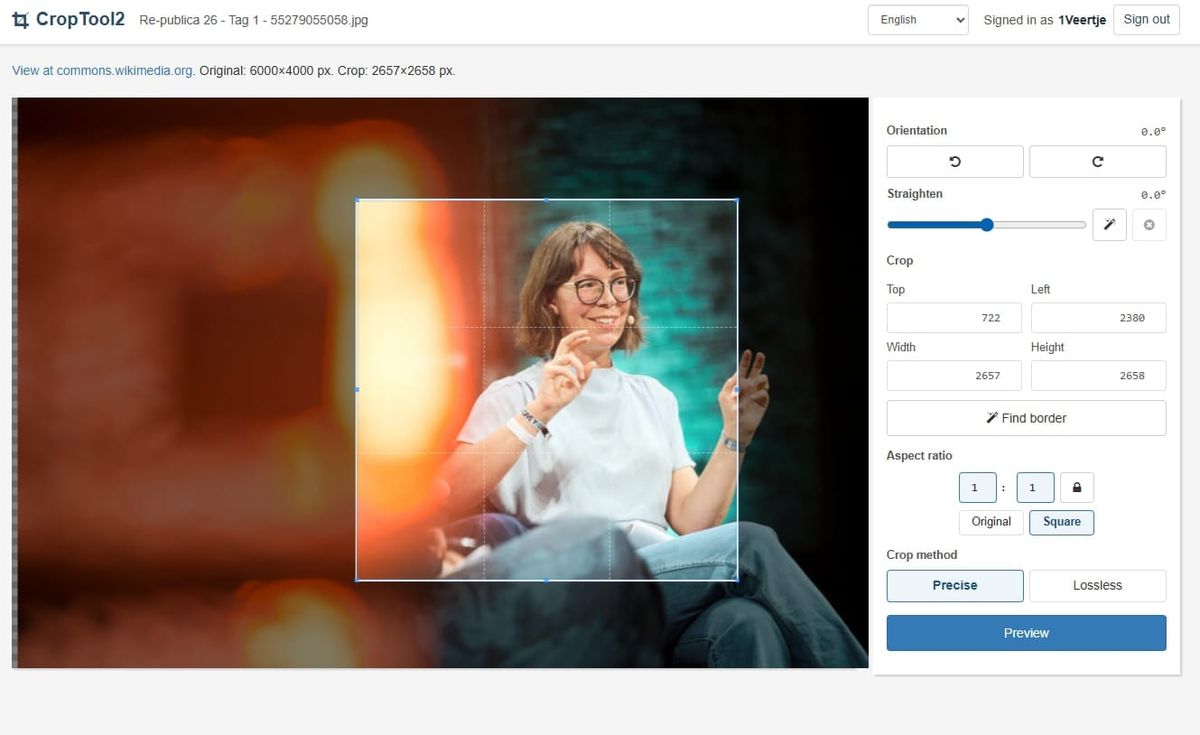
The most visible improvements are in the editing workflow itself:
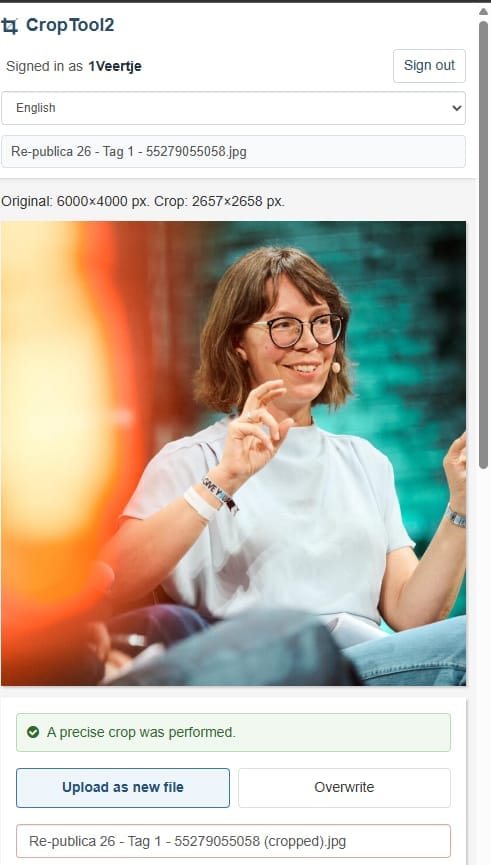
Mobile-friendly at last
The interface now works on phones and tablets, not just desktop browsers.
Multilingual support
CropTool is being connected to Translatewiki, a platform that pairs open-source projects with volunteer translators. Dutch, French, and Spanish are already available, with more languages on the way.
Smarter metadata handling
Before uploading a crop, you can review inherited categories and depicts statements, deselecting anything that no longer applies. For example, if a person has been cropped out of the frame, their depicts statement can be removed before upload.
Fine-grained image controls
Angle, contrast, saturation, and brightness now have dedicated sliders, each with an "auto" button for quick corrections. Numeric input fields for users who prefer precise adjustments are planned in a follow-up update.
Rotation made simple
Rotating a photo by 90 degrees was already possible, but the option was hidden within the interface. It is now prominently available.
Automatic border detection
A long-standing feature of CropTool, border detection is now exposed as a clear button rather than remaining hidden in the background.
Precise straightening
Slightly tilted horizons and other alignment issues can be corrected with exact adjustments.
Better feedback
System messages have been redesigned for better visibility. After a successful upload, CropTool now offers convenient buttons to copy the new filename or file URL to the clipboard, similar to the experience provided by UploadWizard.
What's next for CropTool
- A comparison button will allow users to temporarily view an image without any contrast, saturation, or brightness adjustments applied, making it easier to compare edits against the original.
- The interface now uses Wikimedia's Codex icon set, replacing the previous Font Awesome icons. A new CropTool logo has been introduced to match. The color palette and spacing have also been brought in line with the Codex design system.
Why Wikimedia photographers should consider CropTool
CropTool keeps the entire editing workflow inside the browser, with no need to download, edit, and re-upload files. Its lossless crop mode preserves image quality, OAuth authorization keeps Wikimedia accounts secure, and the metadata review tools help ensure that structured data on Commons remains accurate after a crop.
Try it
You can use CropTool right now by enabling the gadget and selecting the crop option from the menu next to any image on Wikimedia Commons.
The CropTool runs on Wikimedia Toolforge, and its source code is available on GitHub under the MIT license.